Elevate
You will need elevated privileged for the duration of the bootstrap process.
Overview
The bootstrap process is a one-time operation that securely configures your Azure environment with the required workload identities and applies appropriate least privilege RBAC assignments. However, to execute this bootstrap, elevated privileges are temporarily required at the tenant root scope.
This elevation typically involves a Global Administrator either:
- Elevating their own privileges to run the bootstrap process themselves, or
- Temporarily elevating permissions for another user who will execute the bootstrap
These elevated privileges are only needed for the bootstrap operation. Once complete, it’s important to remove these temporary permissions. The labs include a demotion step that demonstrates how to safely remove the temporary privileged role assignment after the bootstrap has finished.
Elevate the Global Administrator
-
Log in to the Azure Portal
-
Open Microsoft Entra ID
-
Navigate to Manage > Properties
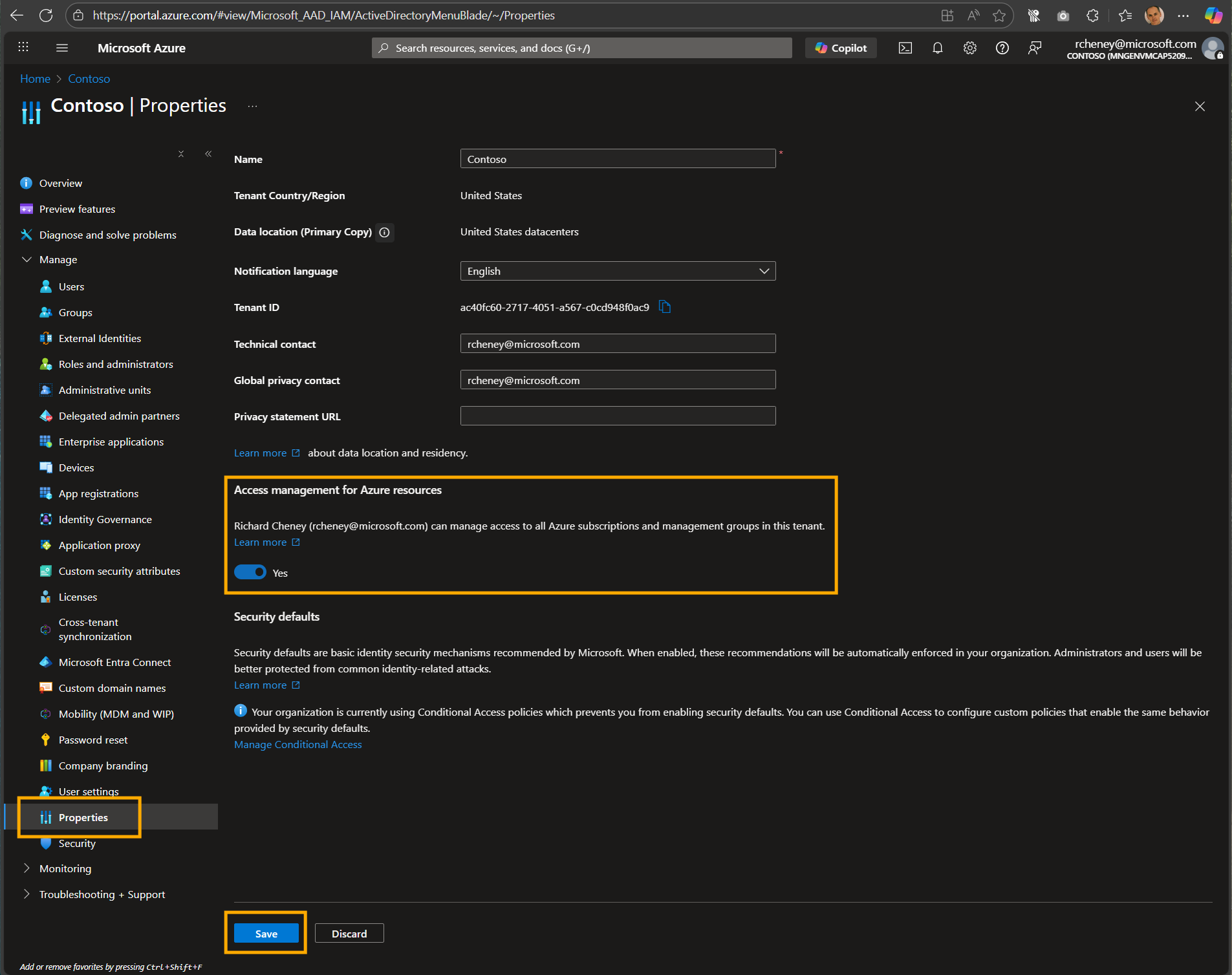
-
Toggle Access management for Azure resources to Yes
-
Click on Save
(This effectively gives the Global Administrator User Access Administrator at the root scope, /.)
Assign the role for the bootstrap
-
Login to Azure
az login --allow-no-subscriptions --tenant <tenantId>Or use the Cloud Shell.
-
Variables
tenant_id=$(az account show --query tenantId -otsv)
assignee_object_id="$(az ad signed-in-user show --query id -otsv)"
⚠️ Assumes that the Global Admin will run the bootstrap. If not, set the assignee_object_id to the correct object ID.
-
Create the temporary RBAC role assignment at the tenant root group
az role assignment create --assignee $assignee_object_id --role "Owner" --scope "/providers/Microsoft.Management/managementGroups/$tenant_id"