Demote
Remove the elevated privilege.
Overview
The highly privilege role was only required for the bootstrap phase. If the bootstrap has run then you may remove it.
Remove the privileged RBAC role assignment
These commands are run in a Bash environment.
-
Variables
tenant_id=$(az account show --query tenantId -otsv)
assignee_object_id="$(az ad signed-in-user show --query id -otsv)"
⚠️ Assumes that the Global Admin ran the bootstrap. If not, set the assignee_object_id to the correct object ID.
-
Create the temporary RBAC role assignment
az role assignment delete --assignee $assignee_object_id --role "Owner" --scope "/providers/Microsoft.Management/managementGroups/$tenant_id"
Remove the elevation
-
Log in to the Azure Portal
-
Open Microsoft Entra ID
-
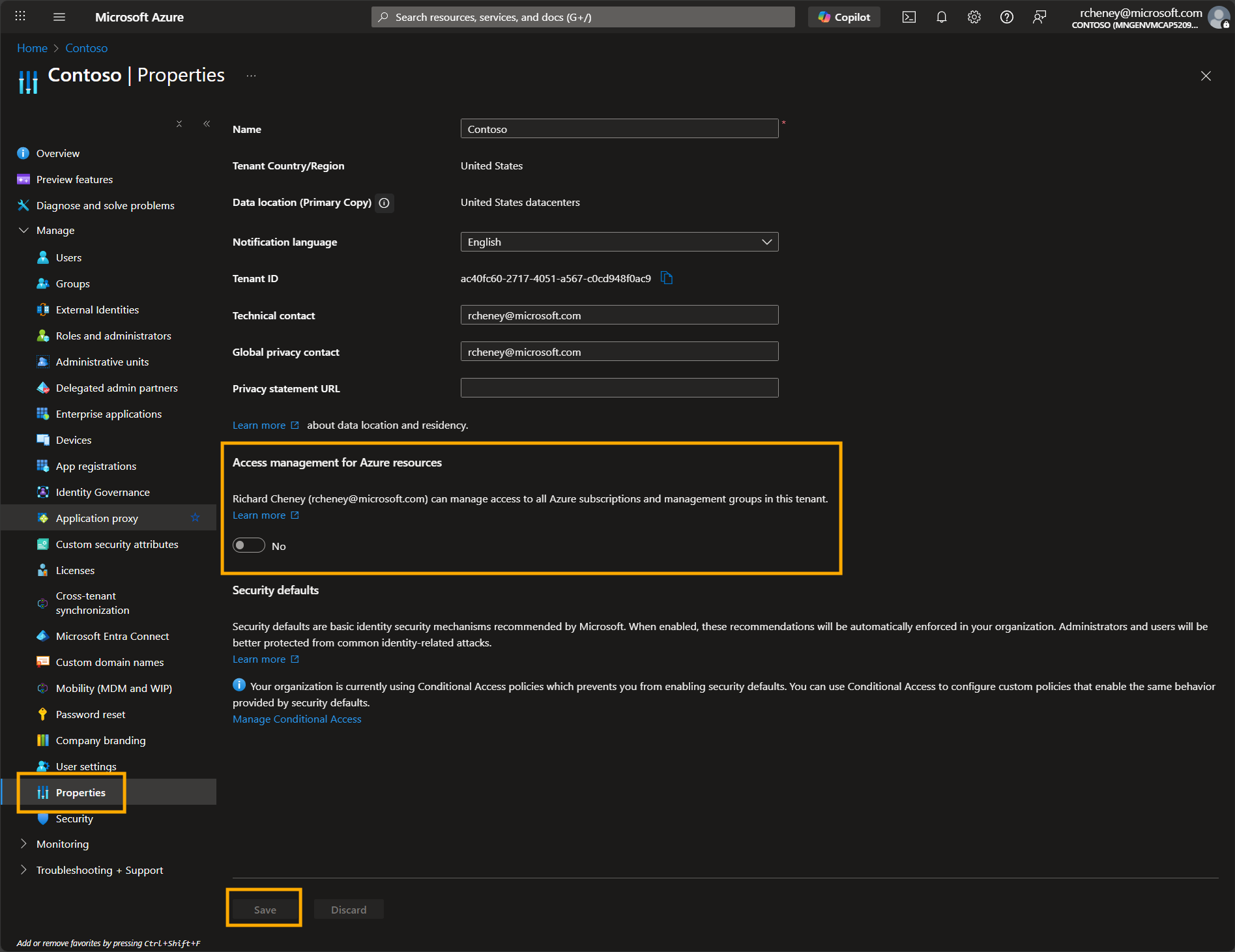
Navigate to Manage > Properties
-
Toggle Access management for Azure resources to No
-
Click on Save